

Skip to content
ENGINEERING-TO-ORDER PROJECT PLANNING

Product Structure and Work Phases. Planned Together.

PHASI connects PBS and WBS work layers on one shared timeline — with calculated project completion.

mycompany.phasi.app

No commitment · No newsletter subscription · Privacy Policy

PBS and WBS explained

6:42 · EnglishYouTube ↗

Calculated Percent of Completion

PHASI · YouTubeYouTube ↗

The planning problem

One project. Two ways to organize it.
Neither shows the full picture.

Engineering projects involve two essential dimensions:

PBS — Product Breakdown Structure
What are we building? Machines, assemblies and components.
WBS — Work Breakdown Structure
What work needs to be done? Engineering, Procurement, Manufacturing, Assembly and Testing.

Traditional task-based planning typically organizes these dimensions within one primary task hierarchy.
Let's look at two common approaches.

01 — PBS-first

Product-Based Planning

The product is clear. The work is scattered.

  • Machine
    • Hydraulic System
      • Pump
        • Engineering
        • Procurement
        • Testing
      • Valve
        • Procurement
        • Testing
      • Manufacturing
    • Control System
      • Controller
        • Engineering
        • Procurement
        • Software
        • Testing

The product hierarchy is visible, but Engineering, Procurement and Testing activities are distributed across component branches.
02 — WBS-first

Phase-Based Work Planning

The work is clear. The product is fragmented.

  • Machine Project
    • Engineering
      • Pump
      • Controller
    • Procurement
      • Pump
      • Valve
      • Controller
    • Manufacturing
      • Hydraulic System
    • Software
      • Controller
    • Testing
      • Pump
      • Valve
      • Controller

The work is organized by phase, but the same component appears in multiple branches.

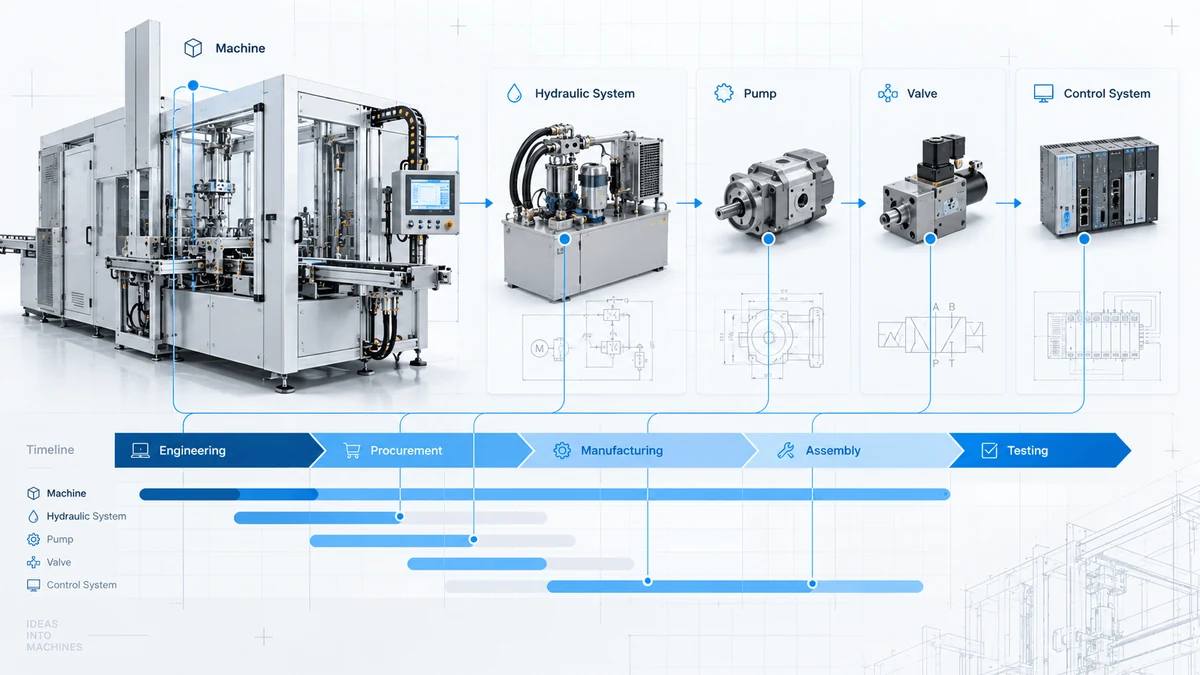
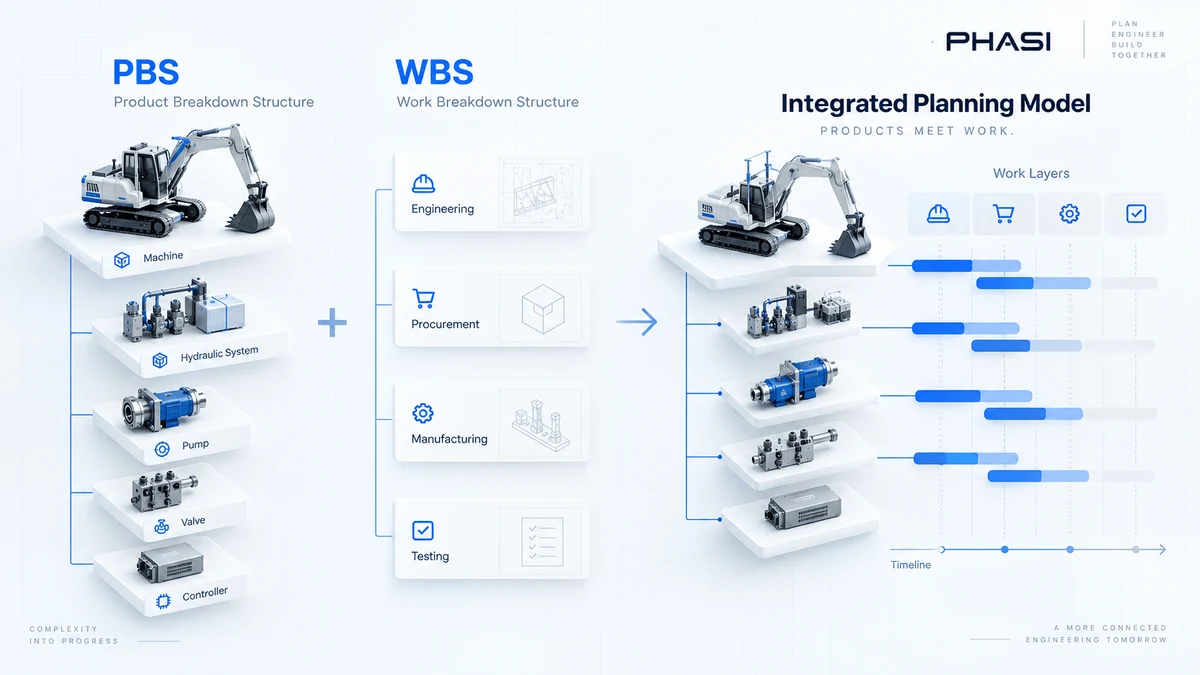
Illustrative views of the same machine, components and assigned work. The WBS-first example groups work by phase; WBS can also organize work in other ways.

01 PBS-first02 WBS-first03 PHASI Work Layers ↓

03 — The same machine, connected

The Product Stays.
The Work Becomes Layers.

PBS is the backbone. Work phases form the layers.

One machine. One structure.Illustrative planning model · not a live project
PBS + WBS work layers

Try it: Select Procurement to see that work across the machine — without changing the product structure.

All assigned phases shown. The product structure stays in place.

One component, multiple work phases, one timeline. Only relevant phases are assigned.
Product structure PBS — what you build
W 1W 2W 3W 4W 5W 6W 7W 8W 9W 10W 11W 12
Relative example weeks 1 to 12
Machine
Completion rolls up from child items
Hydraulic System
Manufacturing , Planned, weeks 7 to 9
Pump
Engineering , Complete, weeks 1 to 3 Procurement , Open, weeks 4 to 6 Testing , Planned, weeks 9 to 11
Valve
Procurement , Open, weeks 3 to 5 Testing , Planned, weeks 8 to 10
Control System
Completion rolls up from child items
Controller
Engineering , Complete, weeks 1 to 2 Procurement , Open, weeks 4 to 5 Software , Open, weeks 7 to 8 Testing , Planned, weeks 10 to 11
Pump needs Engineering, Procurement and Testing. Valve needs only Procurement and Testing.Assemblies have work, too. Hydraulic System has its own Manufacturing phase, alongside the phases of Pump and Valve. Assembly-level and component-level work share the same timeline.Scroll the timeline horizontally to see all weeks →

From completed work to calculated readiness

Product → Work phases → Completed work → Calculated PoC

✓ marks completed phases. For Pump, Engineering is complete; Procurement is open and Testing is planned.

  1. Relevant phases + category weightsCompleted relevant phases contribute to the component’s Calculated Percent of Completion (PoC).
  2. Pump → Hydraulic System → MachineResults roll up through the PBS, including an assembly’s own phases where relevant.

The illustrative timeline has no percentages because category weights are not configured here. Highlighting a layer does not change completion.

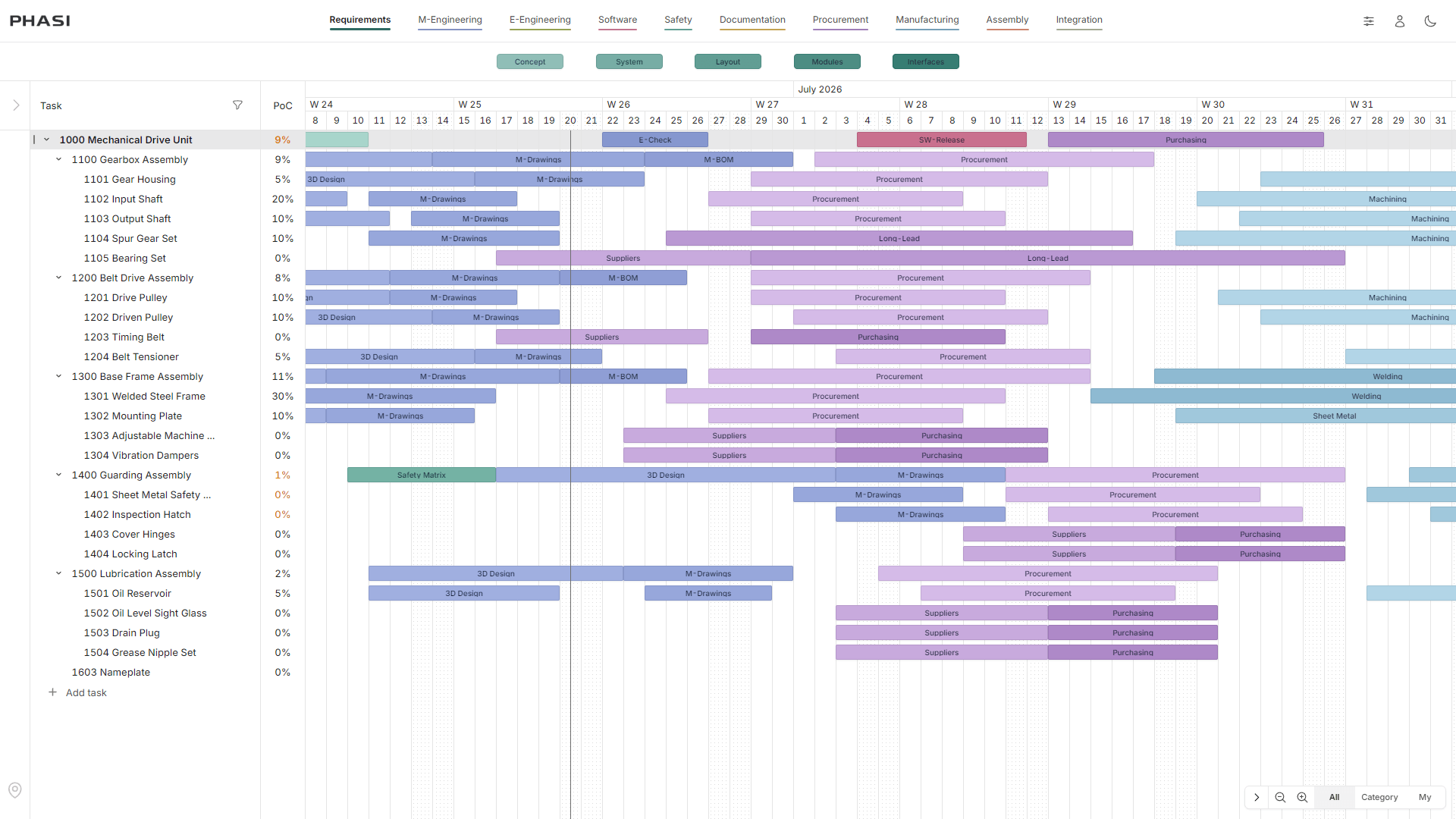
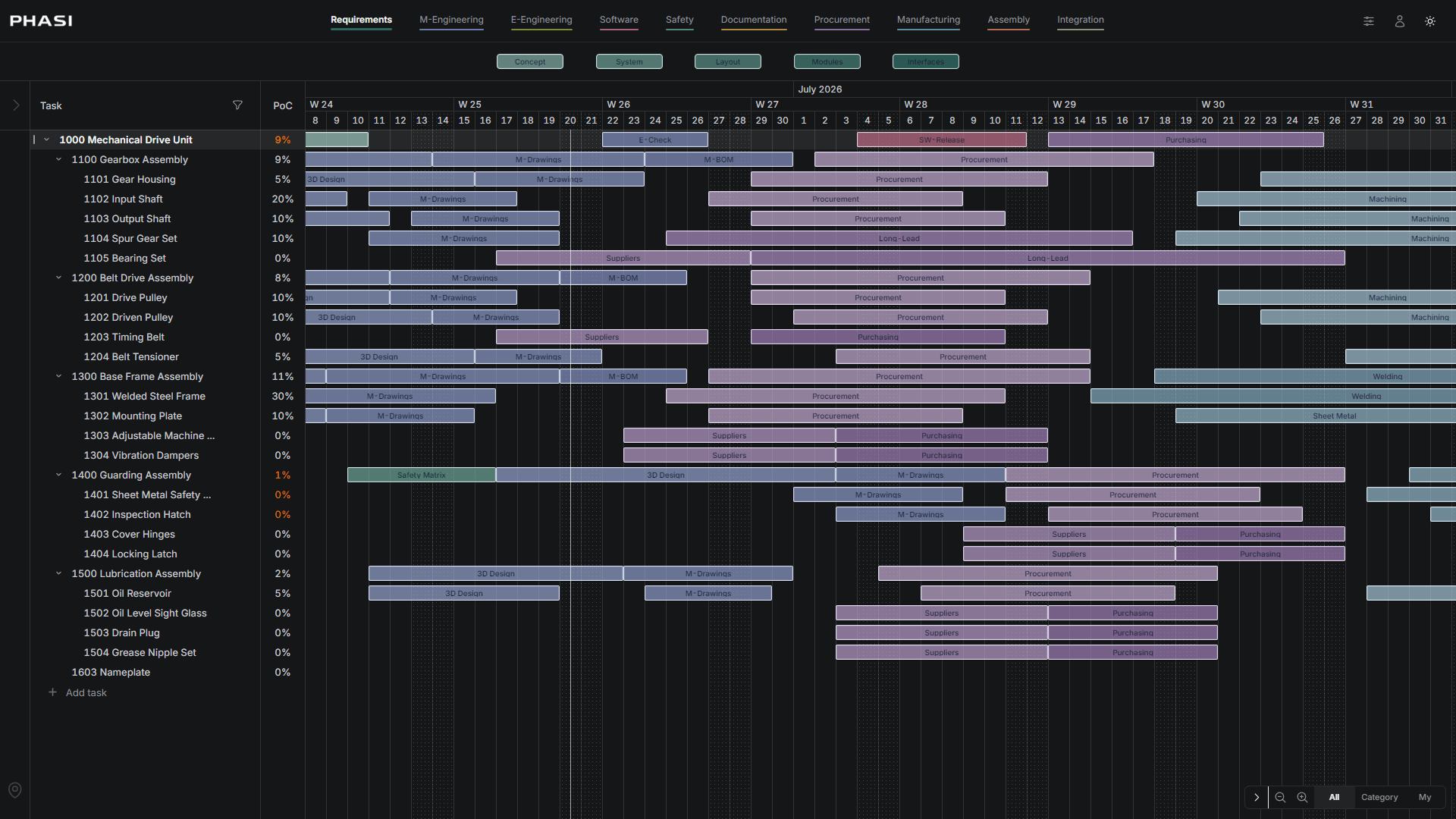
Actual PHASI screenshot detail: Mechanical Drive Unit and Gearbox Assembly hierarchy beside the PoC column, with recorded values for the assembly and its components
Calculated PoC, beside the product hierarchy.Unaltered detail from the real PHASI interface shown above. These recorded values belong to that screenshot’s project, not the illustrative Pump example.
See the actual calculation rules →

A practical engineering scenario

One open phase.
The full component context.

The pump’s procurement phase is still open. Before the next project review, the team needs to see what is finished and what remains open.

Illustrative scenario · Machine

Component: Pump

Assembly: Hydraulic System

  • Engineering✓ Complete
  • Procurement○ Open
  • Testing— Planned

The procurement status stays connected to the component and its place in the product structure.

Core capabilities

Tools for the Daily Project Review.

Product Structure

Organize assemblies, components and sub-parts within each project.

Work Phase Timeline

Review phase bars and planned dates alongside their project items.

Calculated Completion

Review item and project completion alongside the plan.

Contextual Discussions

Keep project discussions attached to the relevant work phase and item.

Reusable Planning Model

Configure work categories and reuse them across projects.

Project Updates

Share selected updates by email, with Slack and Microsoft Teams available as optional add-ons.

Pricing That Fits Your Company.

From specialized engineering teams to large industrial enterprises, PHASI offers individual pricing tailored to your company size and intended use.

Small Business

Up to 50 employees.

For specialized engineering companies, smaller manufacturers and focused project teams.

Custom Quote

Mid-sized Business

51–250 employees.

For growing engineering organizations and manufacturers managing multiple projects.

Custom Quote

Enterprise

251+ employees.

For larger industrial organizations with multiple engineering teams and complex project environments.

Custom Quote

Employee ranges are indicative company segments, not strict eligibility rules or license limits.

  • PBS + WBS Work Layers.
  • Shared timeline planning.
  • Calculated Percent of Completion.
  • Pricing tailored to your organization.
  • Clear commercial offer before a paid commitment.

Request a Personalized Offer

Only for your inquiry. No newsletter. · Privacy Policy

Your planning questions, answered.

PHASI pricing is tailored to each organization. Contact us with your company size and intended usage to receive a personalized offer.
Licensing terms are defined in your individual commercial offer based on your organization's requirements.
You can discuss an initial rollout for a single project or team and expand the scope later.
You can request a free three-month PHASI pilot project. Either party may end it at any time. There is no automatic renewal or obligation to continue; paid use requires a separate agreement.
Product Breakdown Structure (PBS) describes what is being built: machines, assemblies, components and deliverables. Work Breakdown Structure (WBS) describes the work required to deliver the project. PHASI connects the product structure with relevant work phases in one planning model.
The PBS remains the core project hierarchy. Work phases are assigned directly to the relevant elements and scheduled on a common timeline. The product structure does not need to be rebuilt as a separate phase-based task tree.
No. Each component has only the work phases relevant to it. A purchased valve might need Procurement and Testing, while a controller also needs Engineering and Software work.
PHASI calculates completion from completed relevant phase bars and configurable category weights, then aggregates the results through the product structure. Explore the calculation model.
No. PHASI focuses on connecting product structure, work planning, timeline and calculated completion. ERP and PLM continue to serve their respective business and engineering data management purposes.
PHASI is particularly relevant to engineering projects with unique products, changing product structures and work that spans several disciplines.
Yes. Teams define categories and reusable phases such as requirements, design, procurement, fabrication, construction, testing, approval or handover.
Comments stay attached to the timeline phase bar, keeping discussion tied to the item, phase, owner and time period. Selected updates can be shared by email; Slack and Microsoft Teams integrations are available as optional add-ons.

Explore the PHASI Planning Methodology.

A closer look at the structural-phase method behind PHASI.

Ready to Explore PHASI?

See how connected product and work planning can support your engineering projects.